Skip to content
ITR GmbH powered by Zippel
Submit an inquiry
Menu
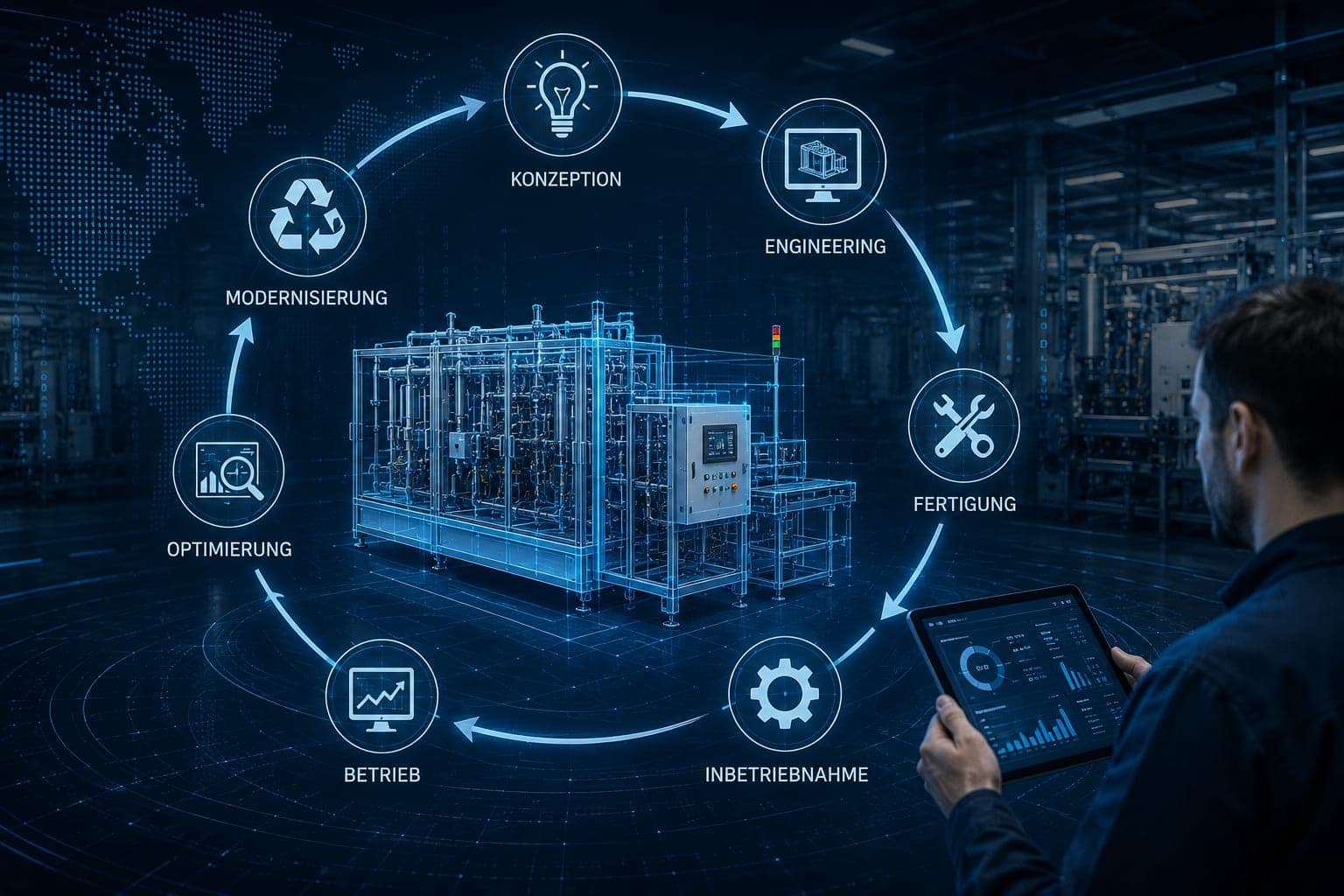
Symbolic image of a system lifecycle: around the blue-drawn view of a parts cleaning system stand seven labeled stations in a circle — concept, engineering, manufacturing, commissioning, operation, optimization, modernization; on the right a person holds a tablet with an evaluation view

When the system is down, the documents are where the system is.

Digital system lifecycle

Most machine builders deliver documents digitally. That is not what is meant. What is meant is a system database that accompanies the entire lifecycle of a machine — from the documentation through maintenance planning to the service message your staff trigger with one scan.
AI-generated visualization — not a photograph of a delivered system

It runs on our in-house developed ERP system, which already maps the company processes completely today. This is not a concept and not an announcement — it is running productively.

1 · The challenge

The first minutes do not go to the repair, but to the search

When a system fails, the clock starts running against the maintenance technician. Which sensor is installed? Where is the wiring diagram? When was the last maintenance? Which spare part fits?

The answers are in a folder nobody can find, or in documents that can no longer be traced for a system from twelve years ago. With a special-purpose system this is more serious than with a catalog product: there is no standard manual to look up. The information on the system exists exactly once — and has to be reachable at the decisive moment.

2 · The approach

One database per system, not one portal for all

Every system from us receives its own digital machine database, uniquely identified by a QR code on the machine or an individual link. Not a general portal with manuals, but the digital twin of exactly this one system.

That this holds has a reason: the database is not a purchased add-on product, but part of our own ERP system, which we developed ourselves and use in daily operation. Vertical integration thus reaches from the mechanics into the software — design engineering, control cabinet manufacturing, programming and digital support from a single source.

Vertical integration

3 · What the database contains

Basic scope and project-dependent extension

The distinction matters: the basic scope is always available, the extensions are provided depending on the project.

Basic scope of every system

Technical documentationOperating manualsElectrical wiring diagramsSpare parts listsMaintenance intervalsNext maintenance dateService historyHistory of the system

Additionally, depending on the project

Pneumatic and hydraulic diagramsInvestment historyTechnical changesContact personsFurther project-specific documents

The strongest part

Not looking things up — reporting

Via the QR code, your staff directly trigger a service message. It appears in our system as a notification and is then followed up by telephone.

From the stopped system to the contact person

  1. 01System is downThe maintenance technician is at the machine.
  2. 02Scan the QR codeThe system is thereby uniquely identified.
  3. 03Message in the systemIt appears with us as a notification.
  4. 04CallbackThe message is followed up by telephone.

No searching for the serial number, no form with twelve fields, no hold queue as the entry point. The way from the stopped system to the right contact person is one scan.

4 · The result

The effort shifts from searching to acting

Maintenance status, wiring diagram, spare part and the line to Service are in one place — at the system.

At the same time, this makes a promise verifiable that many suppliers only claim. “Comprehensive support” can be read on every website; here it can be demonstrated: maintenance history, next date and spare parts list can be called up, at any time, by scan.

  • Maintenance

    Intervals and next date are at the system.
  • Spare parts

    The spare parts list belongs to the system, not to a catalog.
  • Service

    The message starts where the problem is.

Questions and answers

Frequently asked questions about the digital machine database

What is the digital machine database?

Every system from us receives its own digital machine database, uniquely identified by a QR code on the machine. Not a general portal with manuals, but the digital twin of exactly this one system. It runs on our in-house developed ERP system. This is not a concept and not an announcement — it is running productively.

Is there documentation for the system?

Yes — and it is where the system is. Technical documentation, operating manuals, electrical wiring diagrams, spare parts lists, maintenance intervals, next maintenance date and service history can be called up via the QR code on the machine, also by employees who join later.

How do I report a malfunction?

Via the QR code on the system — your staff use it to directly trigger a service message. It appears in our ERP system as a notification and is followed up by telephone. The way from the standstill to the message is thus one scan, not a phone call with a search effort.

Direct contact

AddressITR GmbH powered by Zippel
Hauptstraße 31
93186 Pettendorf
Pettendorf bei Regensburg
Phone+49 (0) 9409-777 3598
Fax +49 (0) 9409-777 3607